
Control your Mac
from your iPhone/iPad.
Tap once to open apps, run shortcuts, or switch your entire workspace. Buttons change automatically for every app.
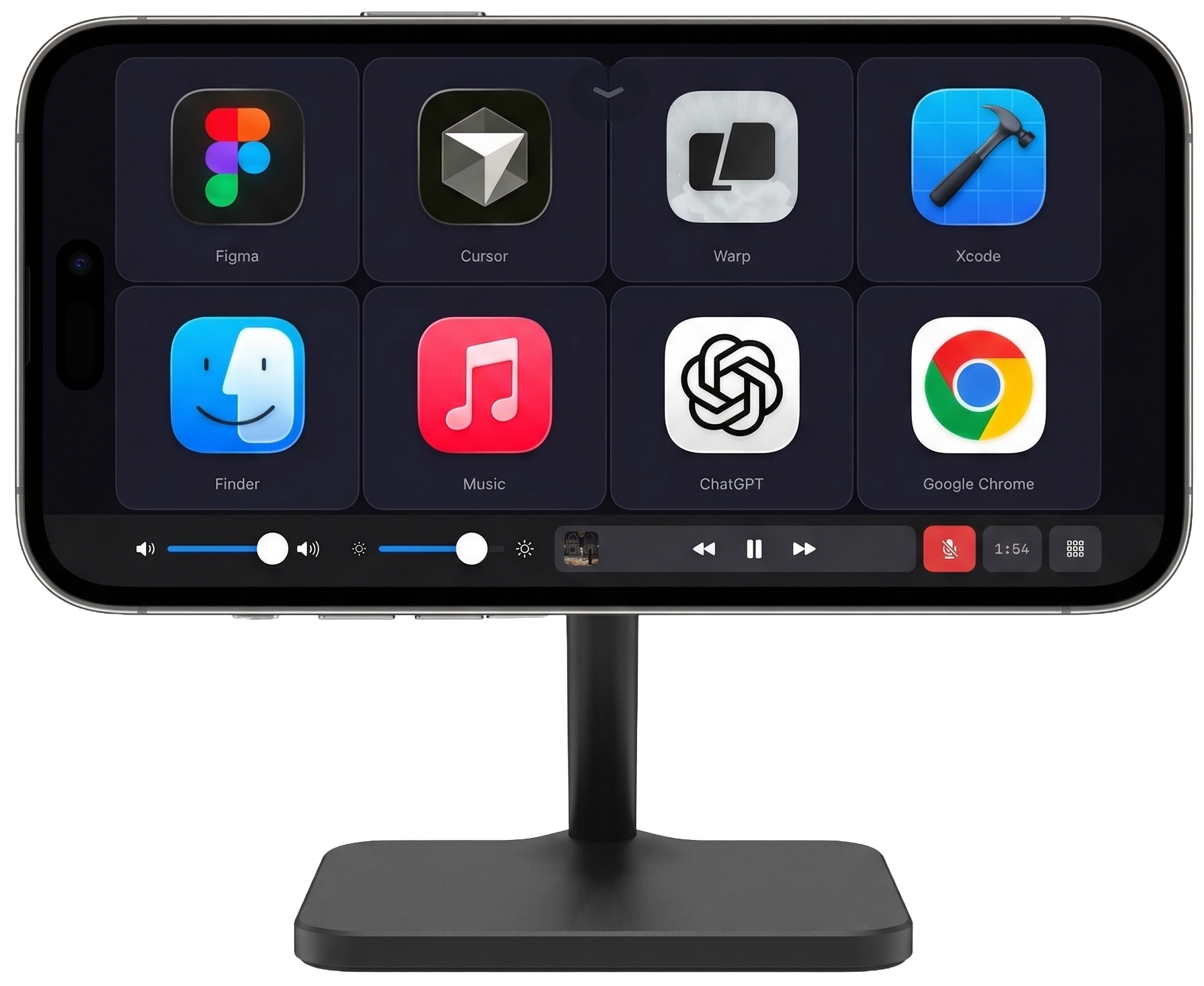


 + more
Works with every app on your Mac
Tap Play
music starts on Mac
Switch to Figma
design shortcuts appear
Swipe 3 fingers up
Mission Control opens
Works with Mac + iPhone/iPad. Both apps free.
Set up in under 60 seconds
Download both apps
Mac (menu bar) + iPhone/iPad (App Store). Both free.
Tap to pair
Your Mac appears automatically. One tap to connect.
Start controlling
Tap buttons on your phone — actions happen on your Mac.
You'll need the free Mac companion app too — get it here
What makes it different
Your deck follows your focus
Switch to VS Code and coding shortcuts appear. Switch to Chrome and browser controls load. Automatic.
Swipe gestures
Swipe two or three fingers on your deck to trigger Mission Control, minimize windows, hide apps, and more.
Multi-launch buttons
One button opens multiple apps or a group of websites at once. Start your full workflow with a single tap.
Window actions
Mission Control, App Expose, Show Desktop, minimize, close, hide, and restore from any button or gesture.
MIDI for any DAW
Faders, knobs, XY pads, and transport controls for Logic Pro, Ableton, GarageBand, and any DAW.
Touch Bar revived
Volume, brightness, now playing, mic mute. The Touch Bar Apple killed, back on your phone.
Private & encrypted
Wi-Fi or USB. Commands stay on your local network. End-to-end encrypted.
Ready to try it?
Free forever with unlimited decks & devices. Upgrade to Pro for MIDI, macros & more.
Try It Free — App StoreAlso need the Mac app?Lifetime — $79 one-time. Pay once, Pro forever.