
How to Replace a Broken Stream Deck on Mac
If you need to replace a broken Stream Deck on Mac, or a Loupedeck that Logitech no longer sells, start with another cable and the current app. After that, the choice is a warranty exchange, used or newer hardware, or a phone or tablet you already own.
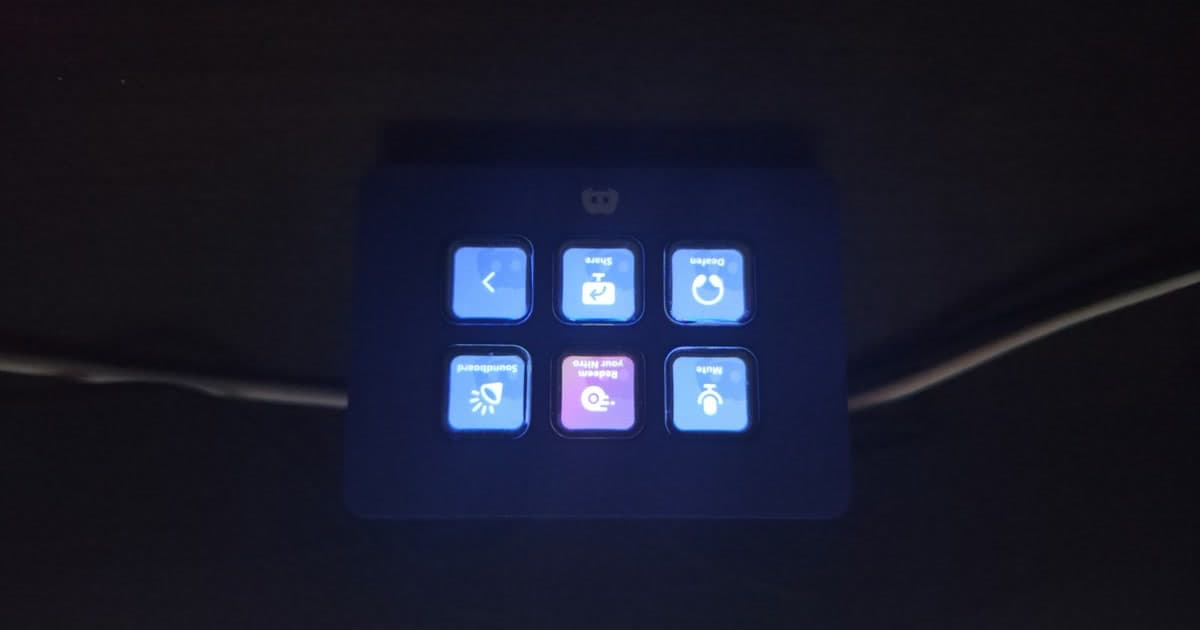
You were mid-task when the keys went blank, or the whole pad went dark and stayed that way. If Logitech has stopped selling Loupedeck, you may also be staring at a console and wondering if it is now a paperweight.
Start with the cable and the app
When the keys show the Elgato logo or stay blank, start with Elgato's blank-key article and keep the app running. Put an action on any empty key, then move the plug to a port on the Mac, because an unpowered hub is a common cause. If the cable comes out, try another one, and contact Elgato if the app crashes. The Mini in the photo is the Discord Edition, and its product page lists an integrated cable, so that swap does not apply to it.
If your Loupedeck is dark, start with Loupedeck's connect guide and move the plug to a port on the computer. Then try a USB 2.0 or newer cable that is no longer than 5 meters. If the lights are on, turn off any VPN or other keyboard app first. Restart the Loupedeck app while the console stays plugged in, and then restart the Mac.
Use the current Stream Deck app on macOS Ventura 13 or later, and allow Stream Deck or Logi Plugin Service in Accessibility. If the keys light up but do nothing in your app, open System Settings, then Privacy and Security, then Accessibility, and switch that app on. If the switch is already on, remove the app and add it again, then relaunch. When Options+ 1.83 or later is installed, the Loupedeck console app has to be 6.0 or newer.
Warranty, if you still have the receipt
If the pad was new in the box, Elgato's warranty page, updated on 11 November 2025, gives you two years. Elgato replaces it with a like-for-like unit rather than refunding you, and you will need that receipt because there is no online registration. If you bought it in the United States, it has to be from Elgato.com, Corsair.com, or an authorized reseller, not from a person. Keep the pad, because you have to send it in, and after two years the exchange may be closed even though support will still troubleshoot.
Loupedeck's warranty term depends on the model, so open that model's page before you guess how long yours lasts. Logitech's warranty uses the length on the box or the model page, and it stays with the original buyer unless local law says otherwise. If a European Union term on that warranty is under two years, it is raised to two years. You can get a repair, a replacement, or a refund, and you send the receipt with the claim.
The Loupedeck+ page lists one year, which is not the number for a CT or a Live. Even after direct sales stopped, warranty claims and technical support continue, according to the 28 March 2025 end-of-sales post.
What is still sold
Logitech acquired Loupedeck on 18 July 2023, and the March 2025 note then ended hardware sales in favor of the MX Creative Console. That console launched in October 2024, and software 6.0 shares its backend, so later plug-ins can still reach a Loupedeck you already own.
As of November 2026, Logitech's US shop listed the console in stock, and Loupedeck's download page offered 6.4.1 for macOS 10.15 or later. The console is a dialpad plus a keypad, and you set it up in Logi Options+ on macOS 13 or later. Older Loupedeck units stay on Loupedeck's own app, and that 6.4.1 build covers the CT, Live, Live S, and Loupedeck+.
The 26 March 2026 notice ended 5.8 and its marketplace on 30 March 2026, and it sent people to 6.x, now 6.4.1. The original console is the exception, because it only runs on software 5.1 or earlier.
Used, new, or a screen you already have
Buy a used pad only if the seller powers the unit on in front of you, so you can see that it actually works. While it is on, check the lights, each key or dial, the cable, and the current app on a Mac. Skip an original Loupedeck unless you will live with software 5.1, and skip anything that will not turn on. A private sale does not include Elgato's warranty, and Logitech's warranty stays with the first buyer except where the law says otherwise.
A new pad is the better buy when you need a key you can press without looking, or a dial for audio or video. A glass screen does neither of those, so buy the hardware when that feel is the point. Cheaper pads are already priced in the alternatives roundup, and the Loupedeck comparison is for choosing a console rather than reviving one.
Stream Deck Mobile keeps Elgato actions on a phone or tablet, as long as the Mac is running Stream Deck 6.3 or later. You also need the same Wi-Fi and iOS 15 or later, and it does nothing without that computer app. Six keys are free, a paid tier adds a larger grid with no dial, and the other software decks sit in that roundup.
Which path fits
| Path | What you pay | What you give up | Who it suits |
|---|---|---|---|
| Repair or exchange | Nothing extra while the warranty applies | Time without the pad | Authorized purchase, receipt in hand |
| Used hardware | The listing price, usually with no maker warranty | A model the app may have dropped | You watched it work before paying |
| A newer pad | A new hardware purchase | Old muscle memory if the brand changes | Eyes-free keys, or dials for editing |
| Stream Deck Mobile | Free for six keys, paid beyond that | Physical keys and dials | Elgato actions on a phone |
| Phone or tablet you own | The device you already have | Key feel, dials, and Elgato plug-ins | Labels you can read on a device you have |
One phone app, if labels are enough
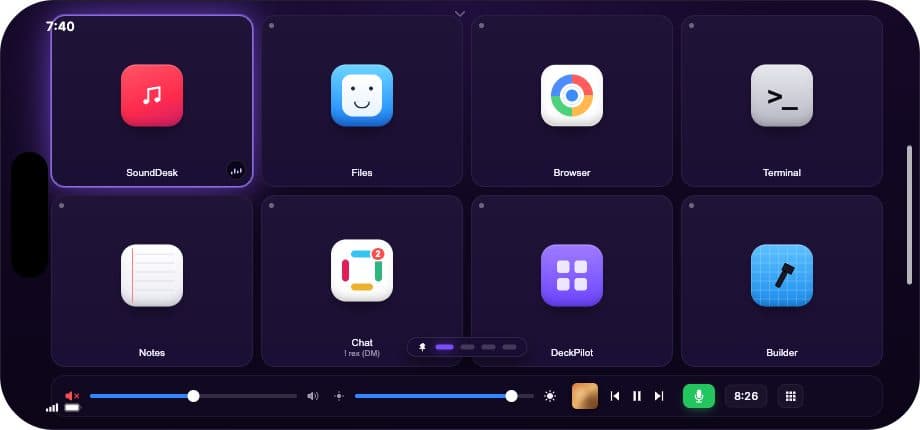
DeckPilot is a Mac app with an iPhone app and an iPad app. A tap runs a Mac action over local Wi-Fi or USB, and pairing is covered in pair your iPhone with your Mac. Download DeckPilot and try it on the phone already on your desk if labeled shortcuts are what you need. It does not run Elgato plug-ins and it has no hardware dial, so the sliders sit on the glass. That is a weak stand-in when you grade or mix by feel, and a reasonable one when you only need shortcuts you can read.
Questions that come up
The keys show the Elgato logo. Is the pad dead?
An Elgato logo is worth a cable check before you call the pad dead. Move the plug to a port on the Mac and skip any unpowered hub. If the cable unplugs, swap it, then put an action on the empty key while the app is running.
Will a used Stream Deck still be under warranty?
A pad bought from a person is outside Elgato's warranty, and the exchange needs both the receipt and the device. The term is two years for a unit bought new in the box from an authorized seller in the United States.
Logitech stopped selling Loupedeck. Does the console still work?
Yes, for the models that 6.4.1 still lists, which are the CT, Live, Live S, and Loupedeck+. Direct sales ended on 28 March 2025, and technical support continues past that date. The original console is the exception, because it only runs on software 5.1 or earlier.
When should I buy hardware instead of using my phone?
Buy hardware when you need a key you can press without looking, or a dial you use for audio and video. A phone is the better fit when you can see the labels and you do not need that dial.
Areux published the photo at the top on Wikimedia Commons under CC BY-SA 4.0.