
App decks / Cursor
Cursor shortcuts on your iPhone
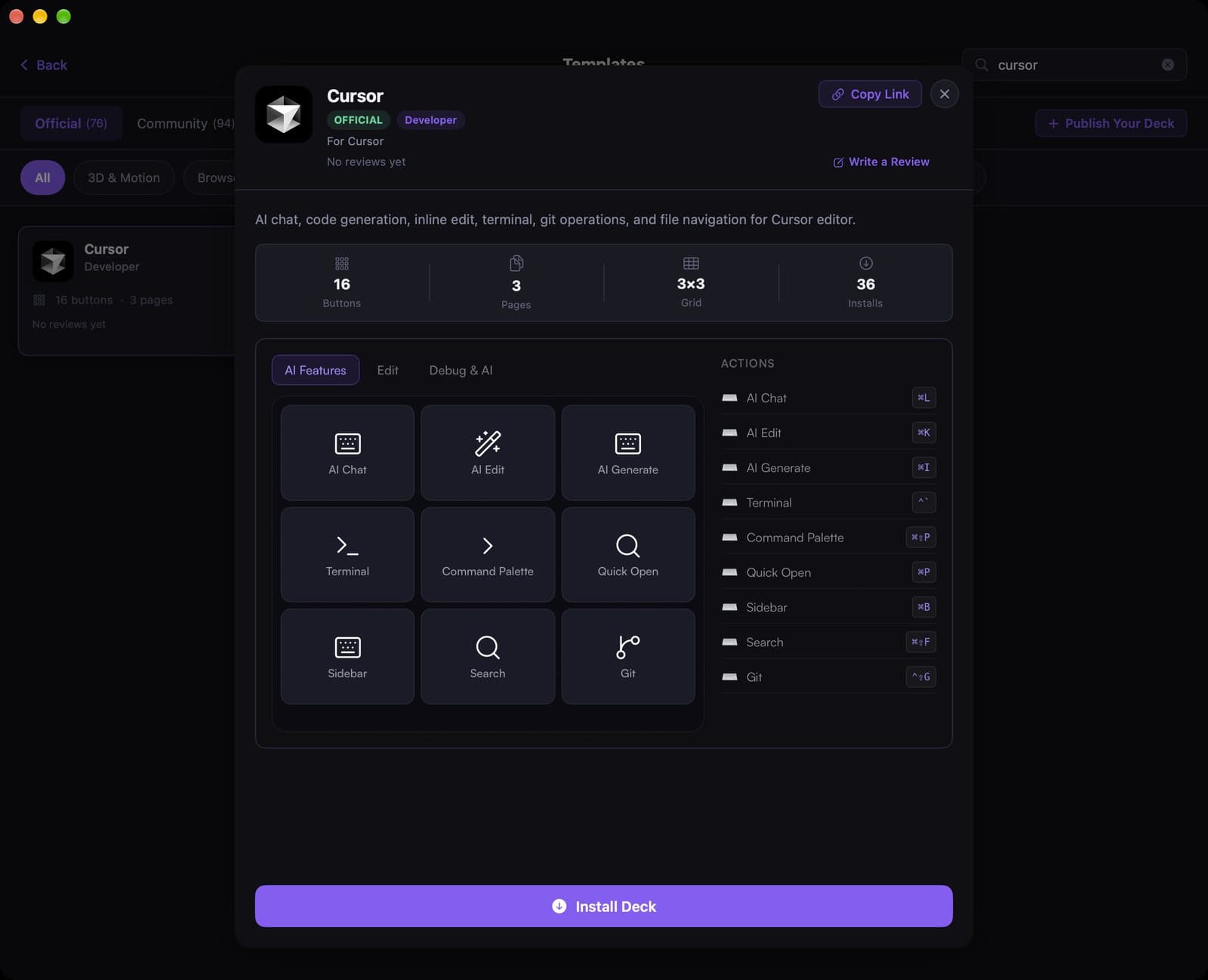
Cursor already has more shortcuts than anyone remembers. The official template puts AI chat, inline edit, generate, terminal, and git on a 16-button deck across three pages.
See the template
A 12-second recording of this pack in the live DeckPilot Mac app. It plays silently; use the controls if you want to pause or scrub.
The first page, AI Features, is what most people install it for: AI Chat (⌘L), AI Edit (⌘K), AI Generate (⌘I), plus Terminal, Command Palette, Quick Open, Sidebar, Search, and Git. Two more pages cover Edit and Debug & AI.
Search Cursor under Templates after you pair your devices and tap Install Deck. Pair it with App-Aware switching so the deck appears when Cursor is focused and falls back when you jump to Chrome or Slack.
What's on the deck
- AI Chat⌘L
- AI Edit⌘K
- AI Generate⌘I
- Terminal`
- Command Palette⌘⇧P
- Quick Open⌘P
- Sidebar⌘B
- Search⌘⇧F
- Git⌃G
Related guides
- Stream Deck setups for software engineers
- Set up keyboard shortcuts
- Use App-Aware switching
- Create a deck for an app